Product
Connect email and chat,
and your work gets organized
AgenticHub reads your company's email and messengers, groups conversations by work, and pulls the requests, commitments and pending replies inside them out into tasks. What people confirm builds into your company data standard. Everything below is a real screen.
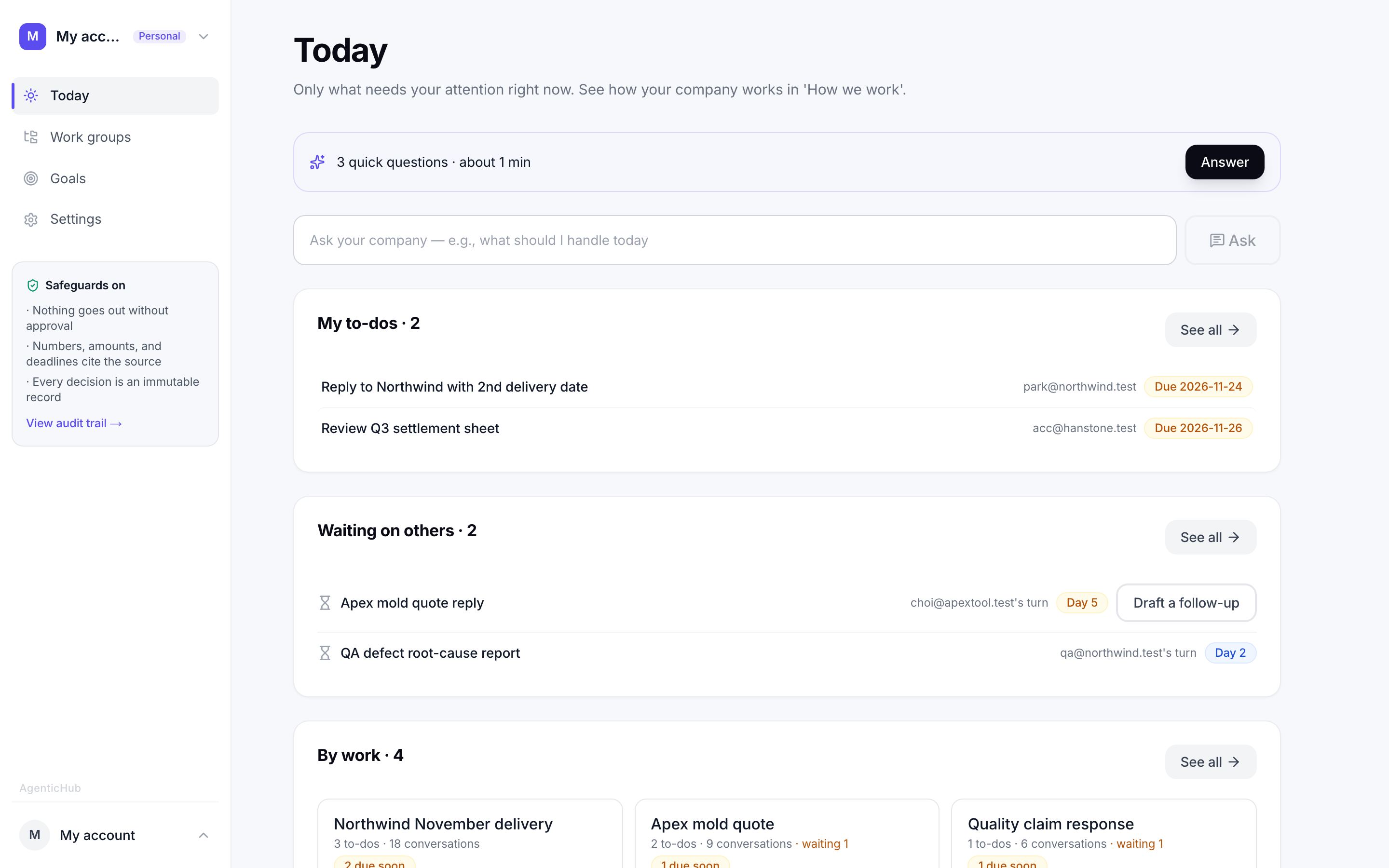
Companies, people and emails shown on screen are fictional examples.
Day one
Connect, wait, and pick
There is no software to install and no data to enter separately. On day one, you do three things.
01
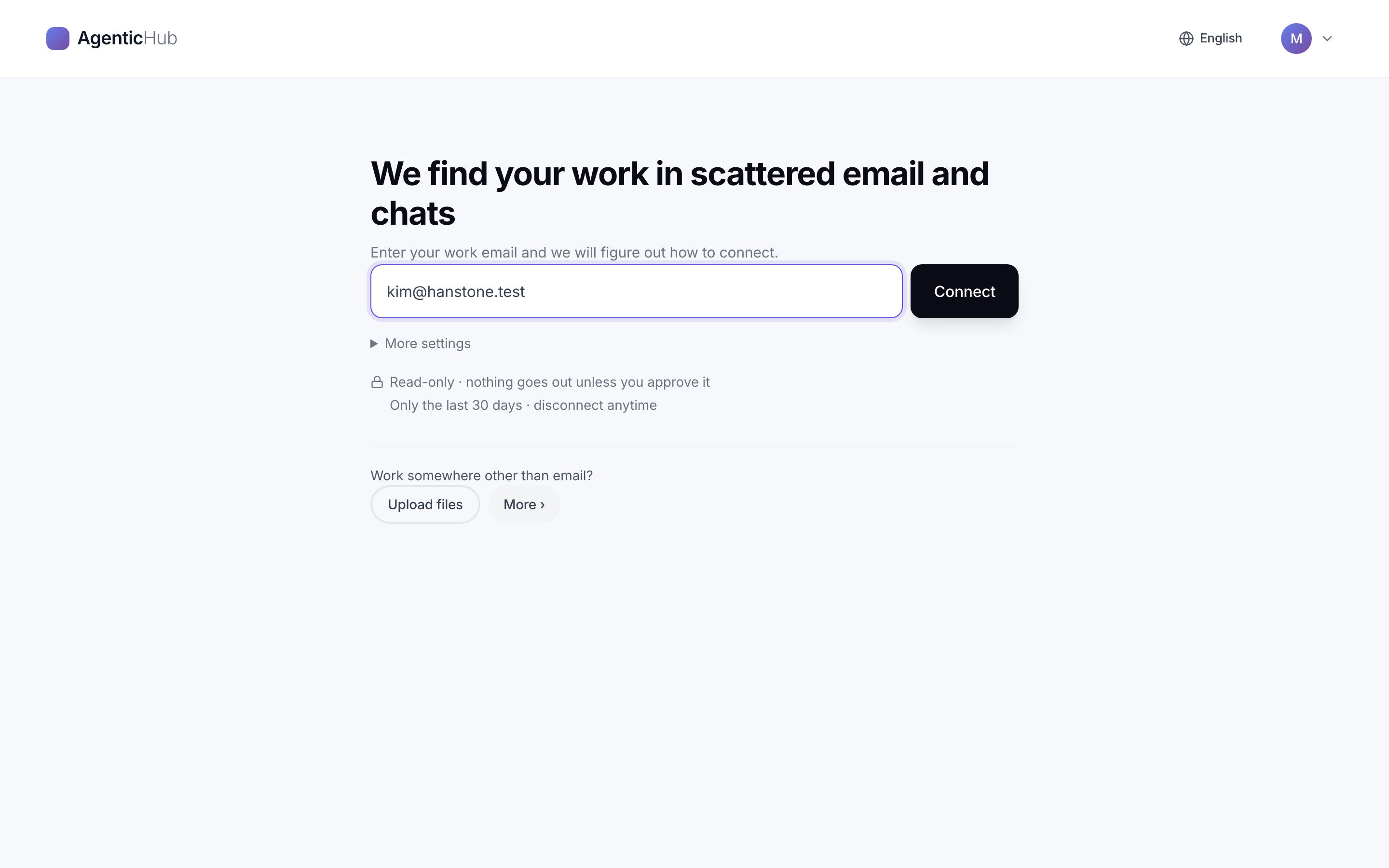
One field: your work email
Enter your work email and it finds the right way to connect. Choose email or Slack, click a few times, and you are connected.
02
While it reads your history
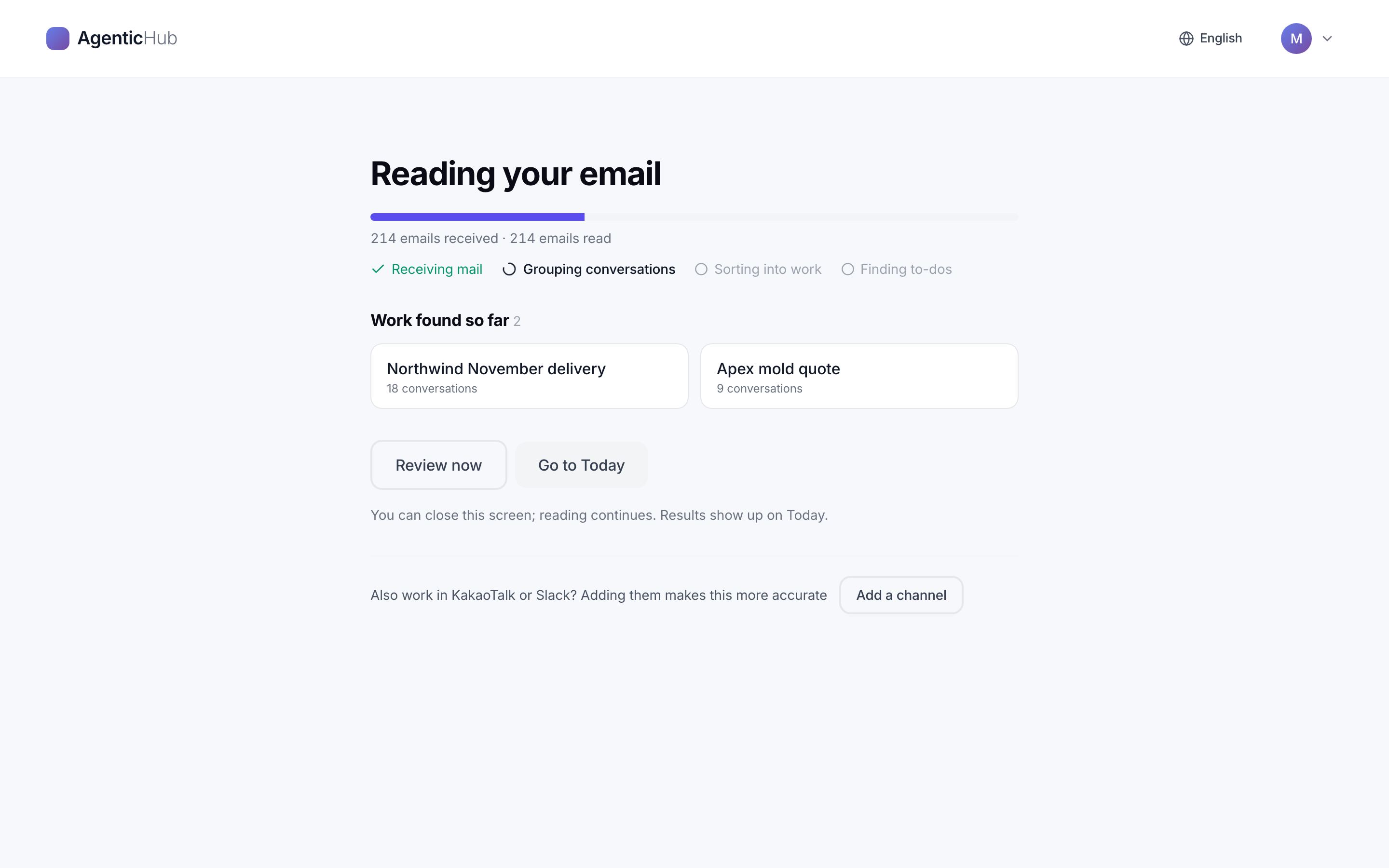
It reads past emails and conversations and separates work conversations from notifications and ads. You can see how many it has read and what it has found.
03
Pick "That’s right"
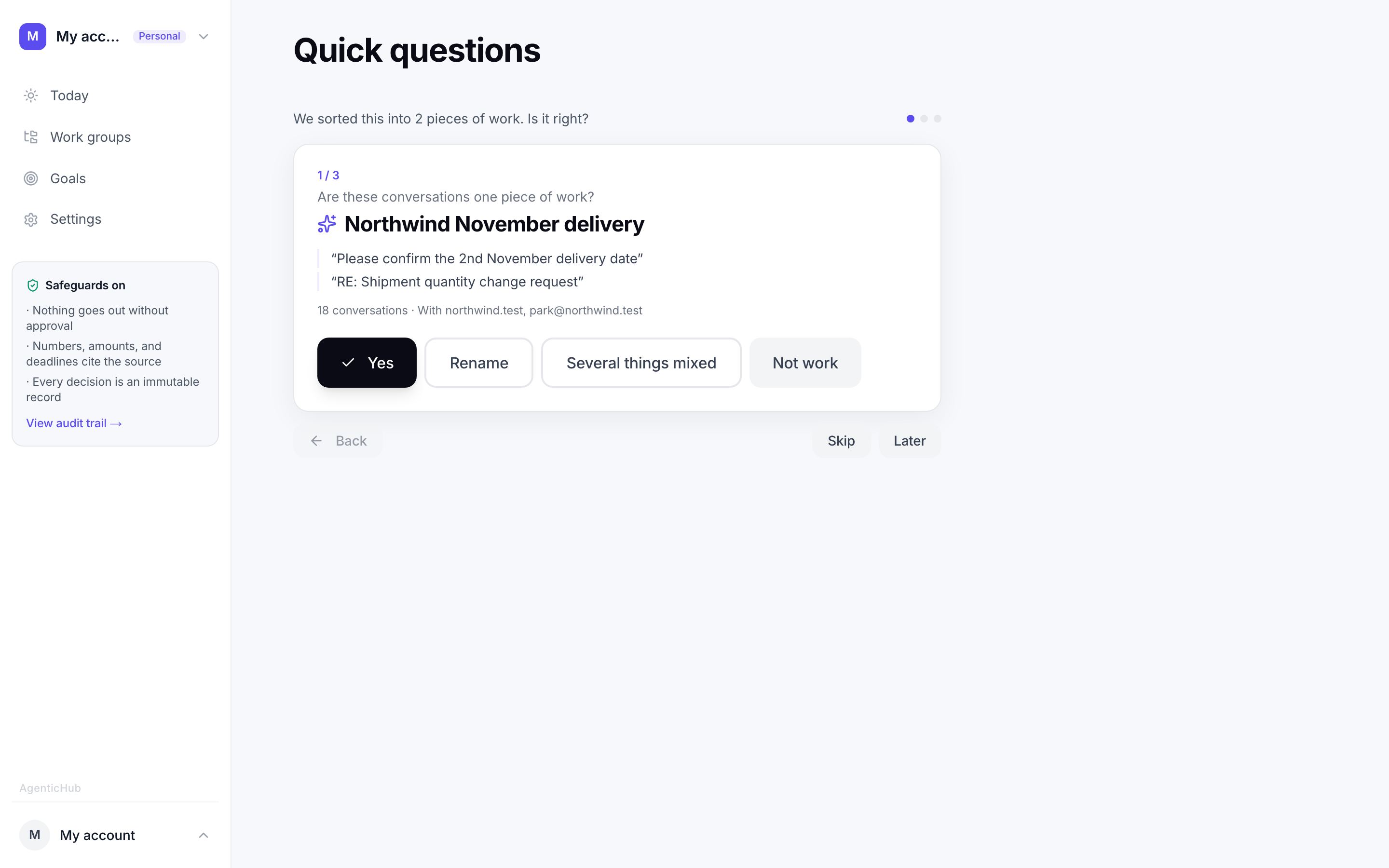
AI groups conversations into work and shows them to you, and you only pick whether each is correct. If a name looks off, fix it on the spot. These choices become the first lines of your company data standard.
Screens you use every day
When you start work, what needs attention today is already organized
01 · Today
Deadlines for today and this week, requests waiting for a reply, and the commitments you made all come together on one screen. No more digging through your inbox from the top.
What you do
Work through it from the top, or click in to open that work.
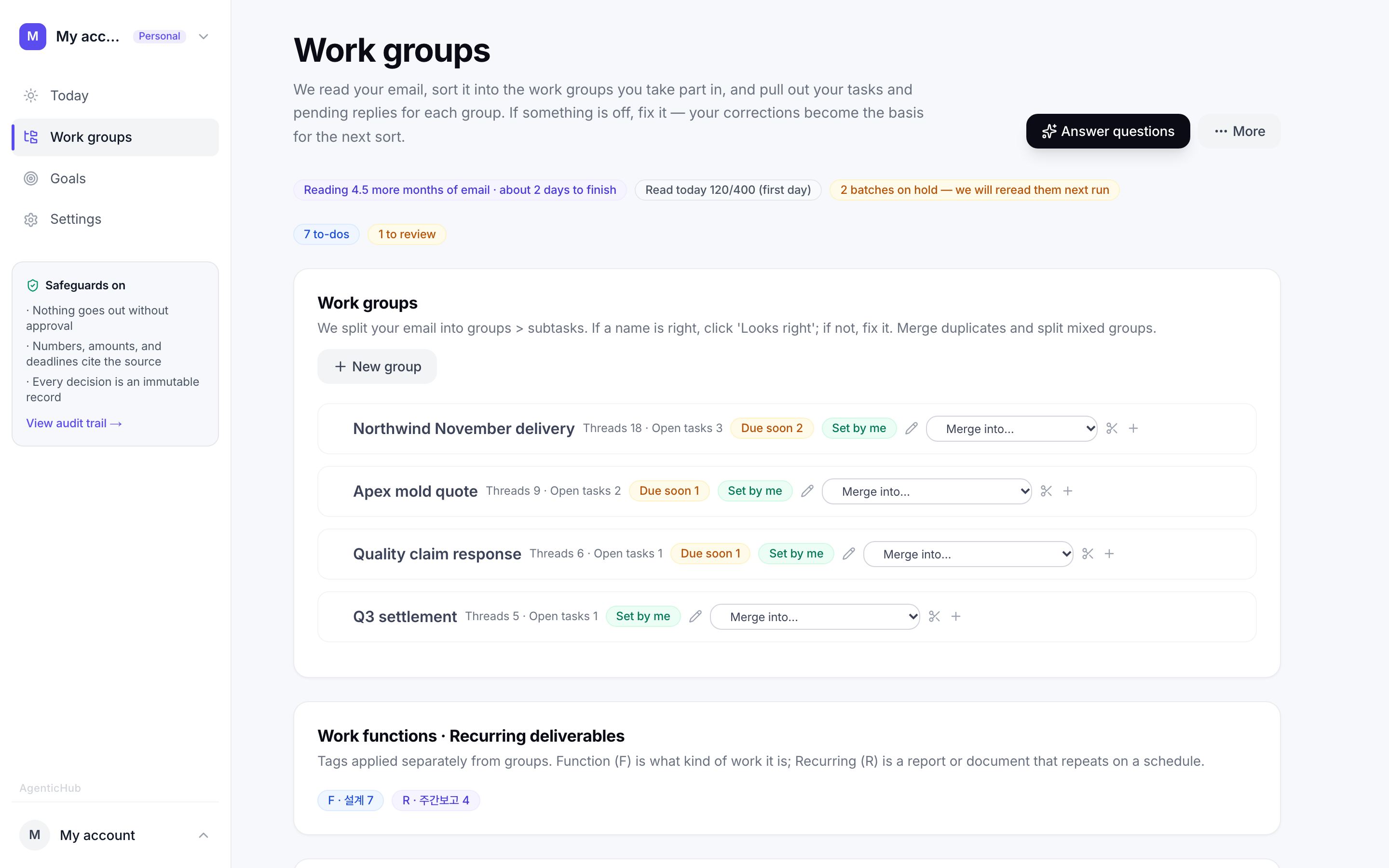
02 · Work
Conversations are grouped into work by account and case. For each, you see the number of conversations, open tasks and upcoming deadlines.
What you do
Pick the work to review. When a new work suggestion arrives, just choose whether it is right, and what you choose becomes your company work standard.
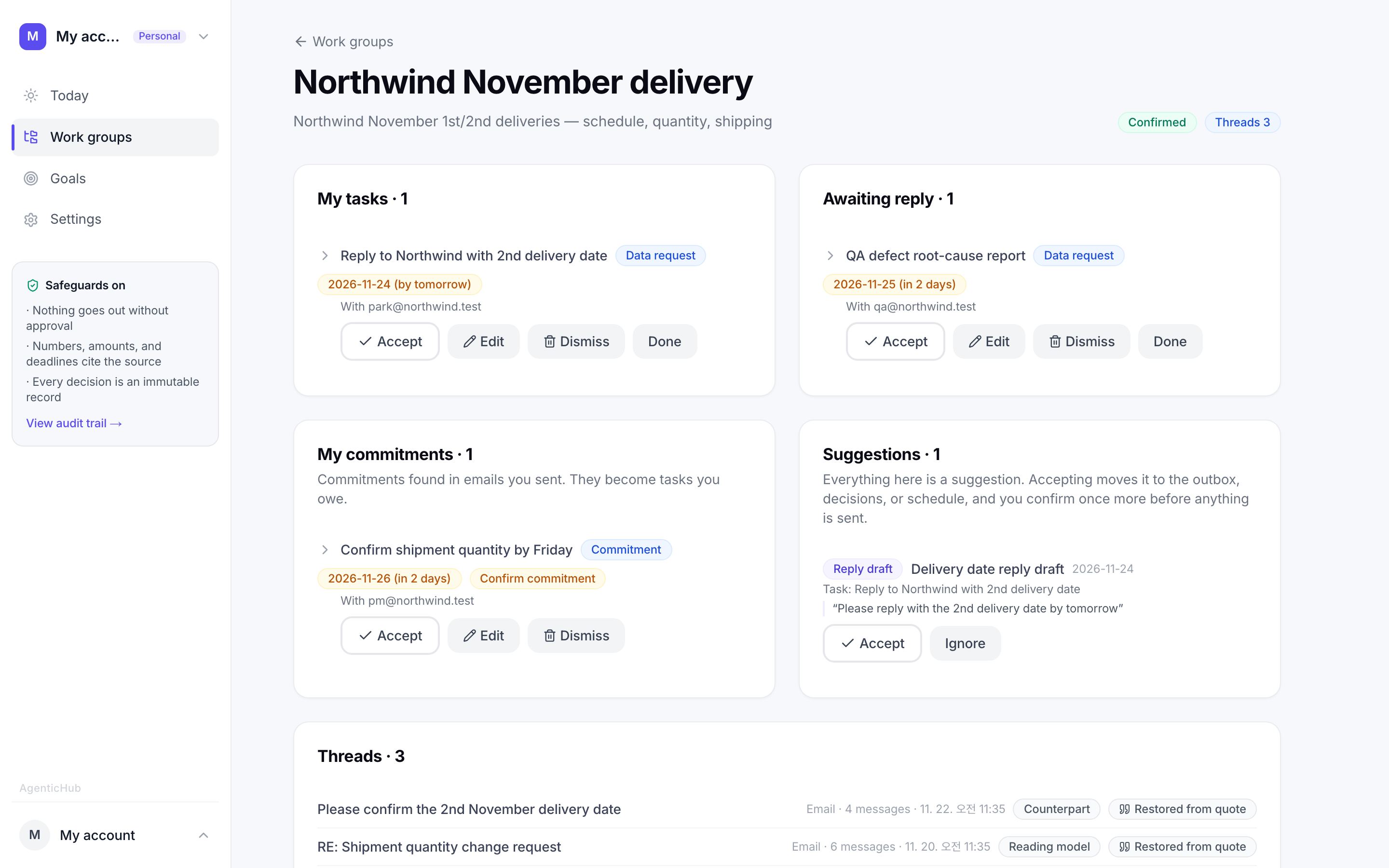
03 · Work detail
Conversations, tasks, pending replies and commitments for one piece of work are gathered together, and every item links to the original text it came from. Replies and reminders are drafted for you.
What you do
Read the draft and approve it. Only what you approve goes out.
Other screens you use
Approval inbox
Drafts to review before they go out are gathered in one place.
Ask your company
Ask "How did things go with that client this week?" and get answers from accumulated data, with sources from the original text.
Weekly report
Requests handled, first response time and missed requests, organized in the format your company uses.
What adapts as you use it
What people decide stays decided, and it grows to fit your company
You do not need to set up rules at the start. What you pick and fix as you work becomes your company standard.
What you confirm does not change
Work and names the owner has confirmed are never changed by AI. If a change is needed, it only suggests.
It learns from corrections
When you fix a classification or a draft, that record is kept and used in the next decision.
The company map grows
On top of the core axes (company, person, task), fields unique to your company are suggested from your data, and the owner only picks.
Core axes · same for every company
Fields grown at this company
‘Mold revision’ — add this field? 14 conversations in the last 2 weeks
AddBy team
Same data, different work for each team
Start with one team and expand to other departments. Each team may use different channels, but work, accounts and commitments build up under one company standard.
Sales and customer support
- Reply drafts for quote and delivery inquiries
- Alerts for unanswered customer requests
- Progress by account, through chat
Purchasing and ordering
- Follow-up tasks for supplier replies
- Deadline tracking for orders and receipts
- Replies to certificate and document requests
Production and operations
- Slack requests turned into tasks
- Tracking cross-team commitments and deadlines
- Weekly operations report drafts
Leadership and management
- Company-wide weekly report
- Where work is piling up or stuck
- Who approved what
Connections and security
Connects read-only to the tools you already use
What connects
- Email — Gmail, IMAP, Korean groupware mail
- Slack
- ERP — read-only connection through an integration service
What we protect
- Connections are read-only and can be cut at any time
- Only what people approve goes out
- Each company has its own space, and connection secrets are stored sealed
Default ERP set — Korea: Douzone·ECOUNT; global: QuickBooks·Xero·Odoo (read-only connection, integration service)
Hand over your company’s work this way
You can first see the case demo, where the real engine runs on a fictional company inbox. Leave a request and we will contact you within 1 business day.